
Tic Tac, 24 Volts and Counting Chickens Remotely
- Problem
- Twelve cameras stand round a house, a yard, a barn and a hen house. Every ready-made way of watching them wanted a machine this house does not have, or a cloud this house will not use.
- Role
- Designed and built all of it — the network, the power line, the wiring, the server, the delivery, the interface and the alerts.
- Purpose
- So the gates, the horses and the chickens can be checked from anywhere by one person, with not one frame of camera video leaving the property.
- Built with
- Node · ffmpeg · go2rtc · TypeScript · React · a Mac mini from 2012
- Where it runs
- One machine in a farmhouse, twelve cameras, four mesh access points and a single door out, twenty-four hours a day.
The idea
One camera in a browser takes an afternoon. Twelve cameras on one old Mac mini, checked while the owner is out buying nails, is a much bigger job.
The machine is a Mac mini from 2012. Two cores, an Ivy Bridge chip, an operating system three versions behind, and no video decoder it can use.1 Decoding one outdoor main stream costs 65 per cent of one core. There are two cores and twelve cameras.
The list came before the software. Watch the gates, where couriers, guests, the police and strangers all arrive. Watch the animals, and answer the same three questions daily: water, feed, and whether anyone has got out. Talk to the children in the rooms and to whoever is at the gate. Record what moves, keep months of it, write a timelapse. Run for weeks with nobody home. Reboot itself, repair itself, reach a phone.
Every ready-made system claims that list. Three were installed on this machine and three came off again.
Every one of them lists what it can do. None of them says what it costs the machine that runs it.
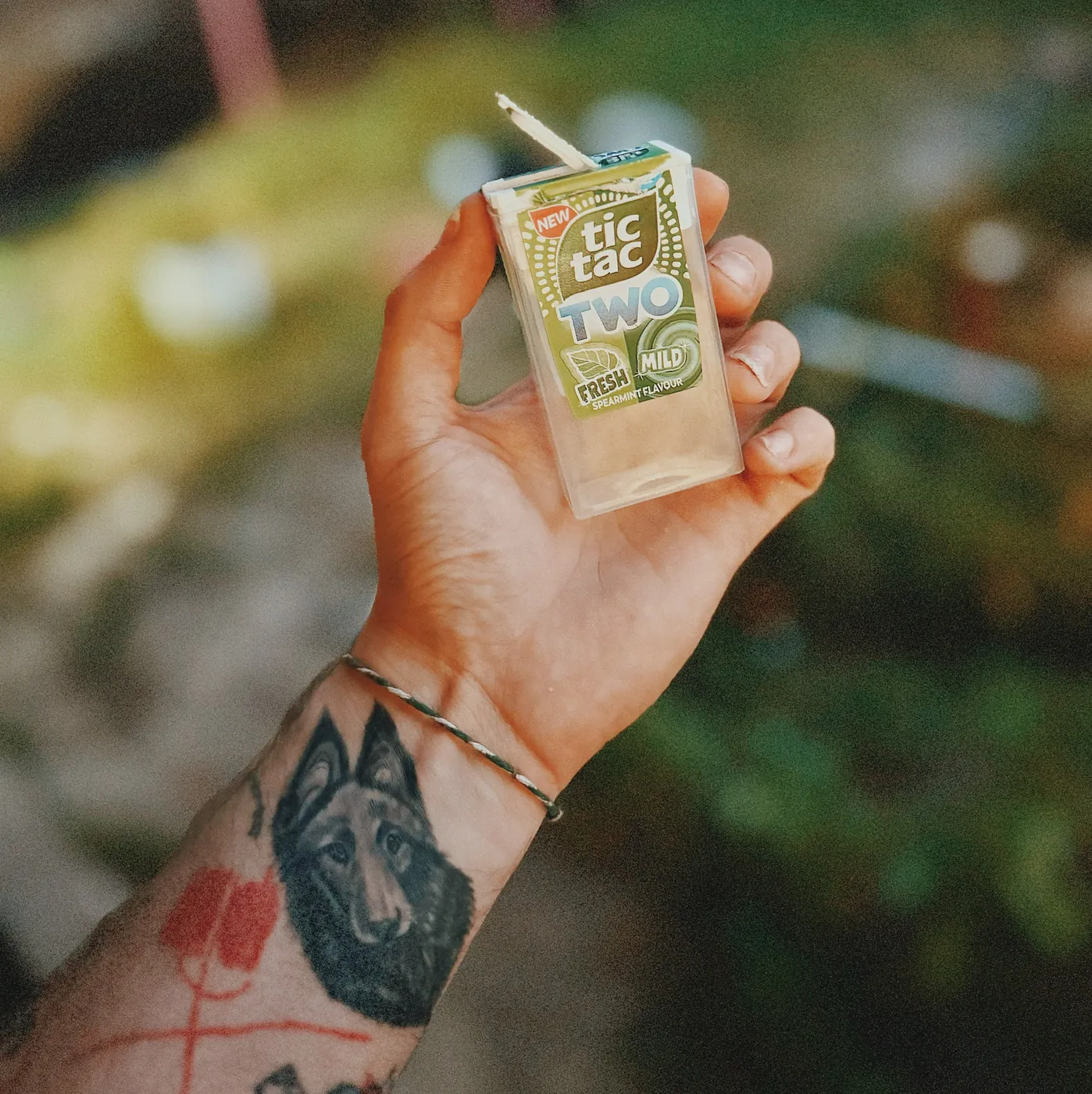
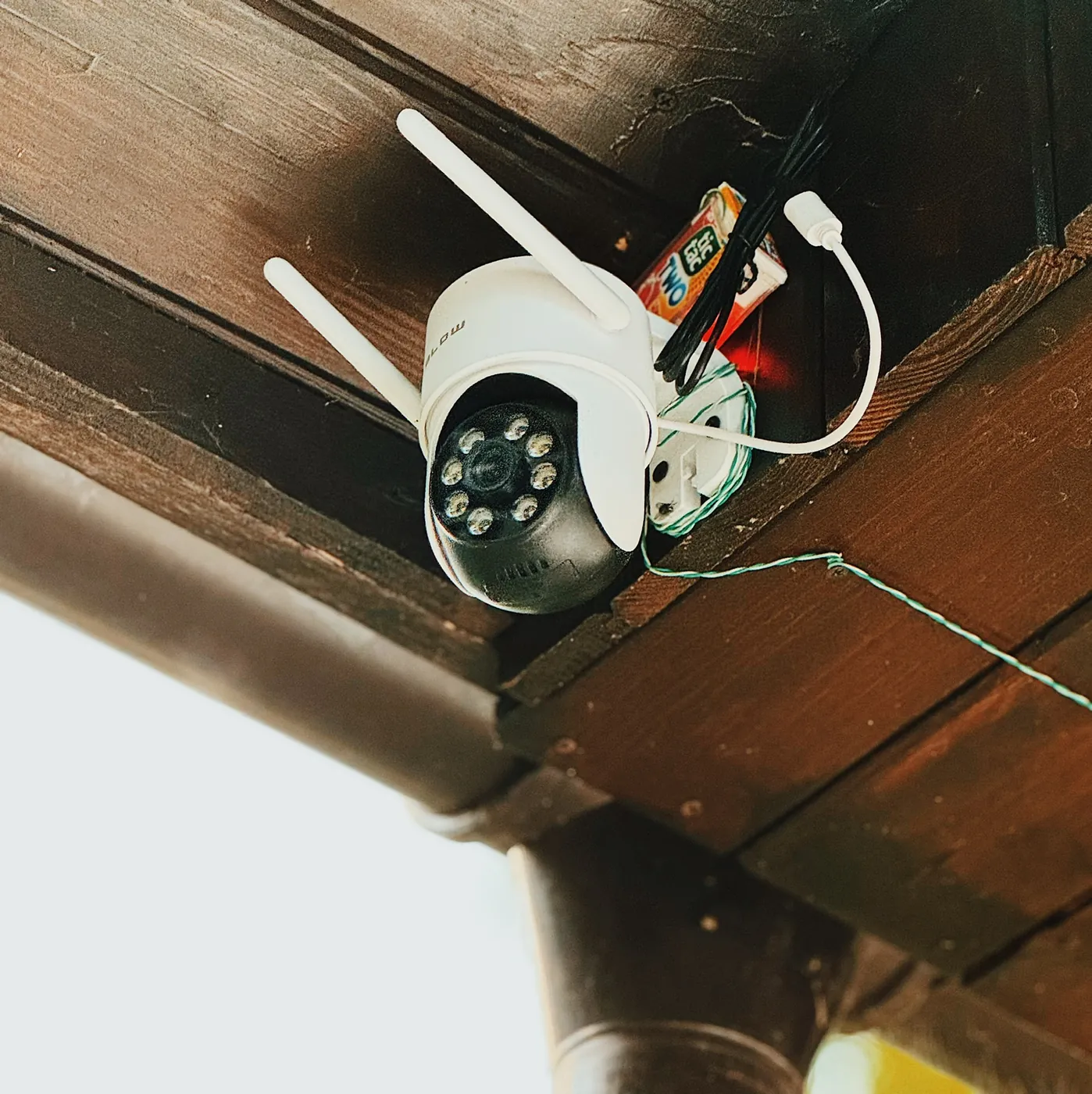
One person built all of it: the network, the power line, the outdoor wiring, the server, the delivery, the interface, the alerts. He is writing this. It runs on free software and on parts that cost less than a weekly shop. Four of them live in Tic Tac boxes, because nothing else in the house was the right size.
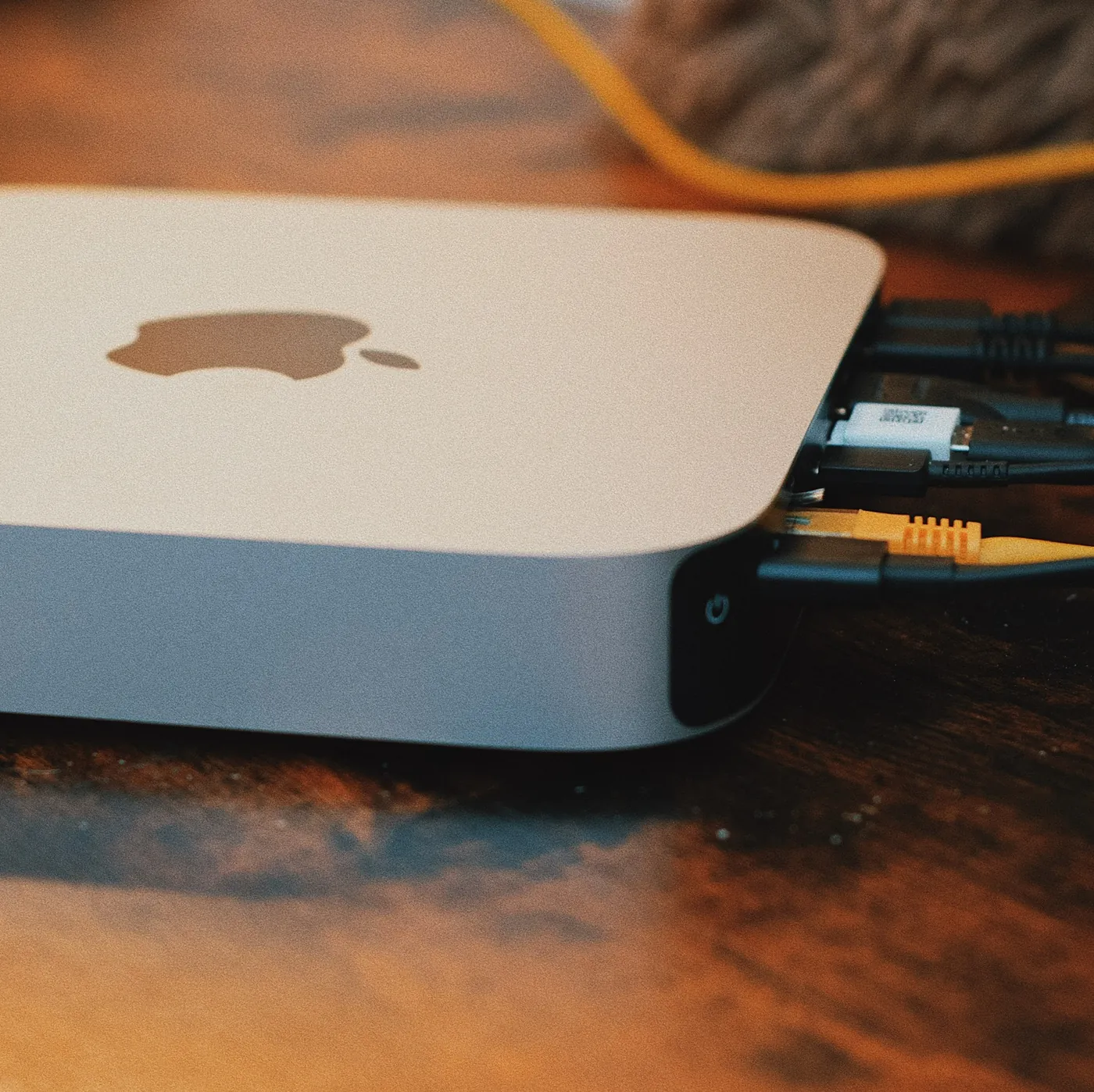 Two cores, and a lot of cables at the back. Everything in this post runs as one program on this machine.
What the system has to do
Twelve cameras, one small computer, one door to the outside. Four are outdoor pan-tilt units: GATES, YARD, HORSES and ROAD.2 The other eight are the fixed indoor model — HALLWAY, KITCHEN, OFFICE, BEDROOM, LIVINGROOM and KIDS in the house, STABLES and HENHOUSE in the outbuildings, where there is a roof and no rain. All twelve run over the wireless mesh. Getting that to work took far longer than mounting them.
The uplink is a Starlink kit. One small router — a MikroTik hEX RB750Gr3, four MIPS cores at 880 MHz — does the routing, hands out the addresses, holds the tunnel out, and decides which device may talk to which. Every camera gets the same address every time, tied to its hardware address. Solar panels and batteries feed the circuit it all runs on, so a power cut in the village leaves the cameras running.
The daily use is much duller than that list, and it is what the whole thing is for. Somebody sits in a pickup on the hardware shop car park, opens a phone and looks at twelve tiles. The gate is shut. The horses are standing where horses stand. The chickens can be counted, and counting them is why the yard camera turns at all. Eleven seconds, then the phone goes back in the pocket.
Twelve cameras, four access points, two ffmpeg processes3 per camera and a satellite dish. So that somebody can count chickens from the cab of a pickup, parked outside a hardware shop.
 The outdoor tiles carry arrows, a step, an angle and a waiting time; the indoor ones a sound bar and a microphone button. The system was built to check on the chickens, and the chickens are the one thing that cannot be shown.4
Everything else in this post exists so that those eleven seconds never contain a spinner, a black tile, or a stream somebody has to restart by hand.
What the ready-made systems leave out
Three systems ran on this machine before anything was written, and none of them failed on features.
Scrypted lasted longest. Its recording module will not load on this operating system: it asks for a symbol called _kVTCompressionPropertyKey_AllowFrameReordering, and this version of macOS does not have it. Finding that out took an evening and changed nothing. Its analysis component crashed in a loop, and while it did, its pre-buffer kept closing and reopening RTSP sessions.5 It left 13 GB of logs and 41 GB of recordings in about 10,500 loose files. Removing it freed a quarter of the disk.
Shinobi was picked after reading its source code, then dropped because of the platform. It runs only in Docker. Docker Desktop on this version of macOS stops at a release from December 2022.6
ZoneMinder decodes every frame of every camera.1 On two cores that ends the conversation.
Three more were rejected without being installed. Frigate needs the AVX2 instruction set, and this processor does not have it.7 MediaMTX never decodes anything, which is good, but it has no archive interface at all.8 moonfire-nvr says the honest thing on the front page of its own repository: no scrub bar yet.
The cameras' own cloud services were rejected in one line: no camera video leaves the property. That ruled out half the market before it was tested, and it ruled out the easy answer to every problem below. A vendor cloud gives you remote access, notifications, storage and a phone app for one payment. Refusing it means building four things and keeping them running. What you get back is that the video of your own hallway stays in your own house.
Free surveillance software is written for machines with hardware decoders and spare cores. Everything was deleted, and what follows was written from an empty disk. That evening the gate camera was still standing on a chair in the hall, waiting to be put up.
One process and its children
Everything is one Node process, and every other running thing on the machine is its child.
It starts go2rtc,9 a media server that listens only on the machine itself, then one delivery process per camera. Each delivery holds two ffmpeg processes: a reader, which opens the RTSP session, and an encoder, which makes the stream the browser plays. Between those two sits the clock described further down. In the same process run the camera sweep, the stream keeper, the telemetry writer, the pan-tilt patrol, the access-point watchdog and the motion listener.
The camera sweep is small and does a lot. Every five seconds it opens a plain TCP connection to each camera and closes it again. That one connection does three jobs: it sets the online light, it keeps the network route to the camera fresh, and it is what spots a camera that has gone quiet. So no camera is ever polled twice. Every five seconds, all day, for as long as the house has electricity.
The browser never sees a camera's own stream. Every frame is decoded and re-encoded here, and what leaves is a stream this machine made.
Five rules that fight each other
Each of these is easy to fix on its own. Fixing one the easy way breaks another.
- The picture must never break. A tile that reloads its player or resets its clock sends the person checking it back to look a second time.
- Some cameras allow one session at a time. A second attempt is not refused. It hangs until it times out, and while it hangs it keeps the camera busy.
- There are two cores and no decoder.10 Twelve cameras cannot each have one.
- A camera is allowed to disappear. The radio drops, a unit reboots, somebody unplugs something in the barn.
- No camera video leaves the house. One door out, one identity check at it, and no way to reach a camera from outside.
Rule one and rule four fight each other. Point a player straight at a camera and every forty-second dropout breaks the player. The session then has to be set up again. On a camera that allows one session, the new session collides with the old one that has not finished closing. That is how a camera pointed at a gate ends up busy talking to itself.
A camera can go offline for a week. The browser keeps playing without a break.
The metronome
Between the reader and the encoder sits a clock.
The encoder starts once and is never restarted. The reader may die and restart as often as it likes. On every tick the metronome hands the encoder exactly one frame and its slice of audio: the camera's fresh frame if the camera is sending, the last frame again if it is not.
So the browser gets one endless stream. The player never reloads, and the tile never blinks. A camera can be gone for a week and the stream it feeds keeps running.
A frozen tile has to look frozen, or somebody is reassured by a photograph. After eight seconds without a new frame the repeated picture is dimmed to 45 per cent of its brightness.
delivery:
  frameRate: 5 # measured: twelve cameras at 10 fps need 260% of one core
  freshMilliseconds: 8000 # after this the repeated frame is dimmed
  staleLumaPercent: 45 # how much darker, so a frozen tile looks frozen
  sourceStallMilliseconds: 6000 # reader gave a frame, then stopped: kill it
  sourceConnectMilliseconds: 25000 # reader has not given a first frame yet
  maxQueuedFrames: 4 # frames are dropped past this, never queued
  backlogGiveUpMilliseconds: 10000 # encoder behind this long: rebuild the camera
The frame rate is a measurement, not a preference, and twelve cameras are what changed it.10
An outdoor camera costs about 9 per cent of one core and an indoor one about 28 per cent. The system was built for nine cameras — four outdoor and five indoor — and at ten frames a second they came to 176 per cent of one core. The machine has two cores, which is 200 per cent, so that fitted, but only just.
Then three more cameras went up, and all three were the indoor model. Twelve cameras at ten frames a second come to 260 per cent of one core. That is more than the machine has, before the operating system, the tunnel, the recording and the motion checks are counted at all.
So something had to give, and the cheapest thing to give was the frame rate. At five frames a second the same twelve cameras cost 130 per cent of one core, which is about two thirds of the machine. That leaves the rest for everything else.
Five frames a second is visible if you look for it. A person walking across the yard moves in small steps rather than smoothly. Nobody in the house has mentioned it. Nothing else got worse: the recordings are copied from the camera's own stream and never touched, so the archive is exactly as smooth as it always was. The wall is the only place that pays.
The queue between the metronome and the encoder nearly killed the machine. Every tick wrote a frame to the encoder, and nobody checked whether the encoder was keeping up. One 1280×720 frame is 1.4 MB, and each camera offers ten a second. An encoder that fell behind grew its queue by 13.8 MB a second, and nothing stopped it.
Cameras that answer ping and show nothing
One measurement made this fixable: the camera answered the network and the wall showed nothing. Every camera, every five seconds, written to disk. That one line covered everything. Every other kind of failure measured exactly zero.11
Three causes sat behind it. All three were found the same day, and all three were the code's fault. The cameras had been blamed for a month.
The retry ladder could not tell that a camera had come back. While a camera is really gone, the wait between attempts grows to twenty seconds. That part is right. The problem was that the full twenty seconds were then waited out against a camera that had already come back. YARD lost 265 seconds that way, out of 13.7 minutes in which it answered every ping. The sweep already pings every five seconds. It now writes the answer into a small file, the delivery reads that file twice a second, and the wait is dropped the moment the answer turns to yes.
The silence watchdog killed readers that were still connecting. A reader was given six seconds to produce something, and the count started before the camera session had even been set up. On a camera that does not announce its codec, ffmpeg spends ten seconds working it out. Those readers were killed every time, however healthy the camera. KITCHEN went dark for 55 seconds in a row, and the software had done all of it. Connecting now gets its own 25 seconds.
Readers were killed outright, and the camera never got its session back. An ffmpeg that is asked to stop tells the camera the session is over. An ffmpeg that is killed says nothing. The camera then keeps that session open until its own timeout ends. On a camera that allows one session, the next reader has nowhere to go. The kill now waits two seconds behind the polite request.
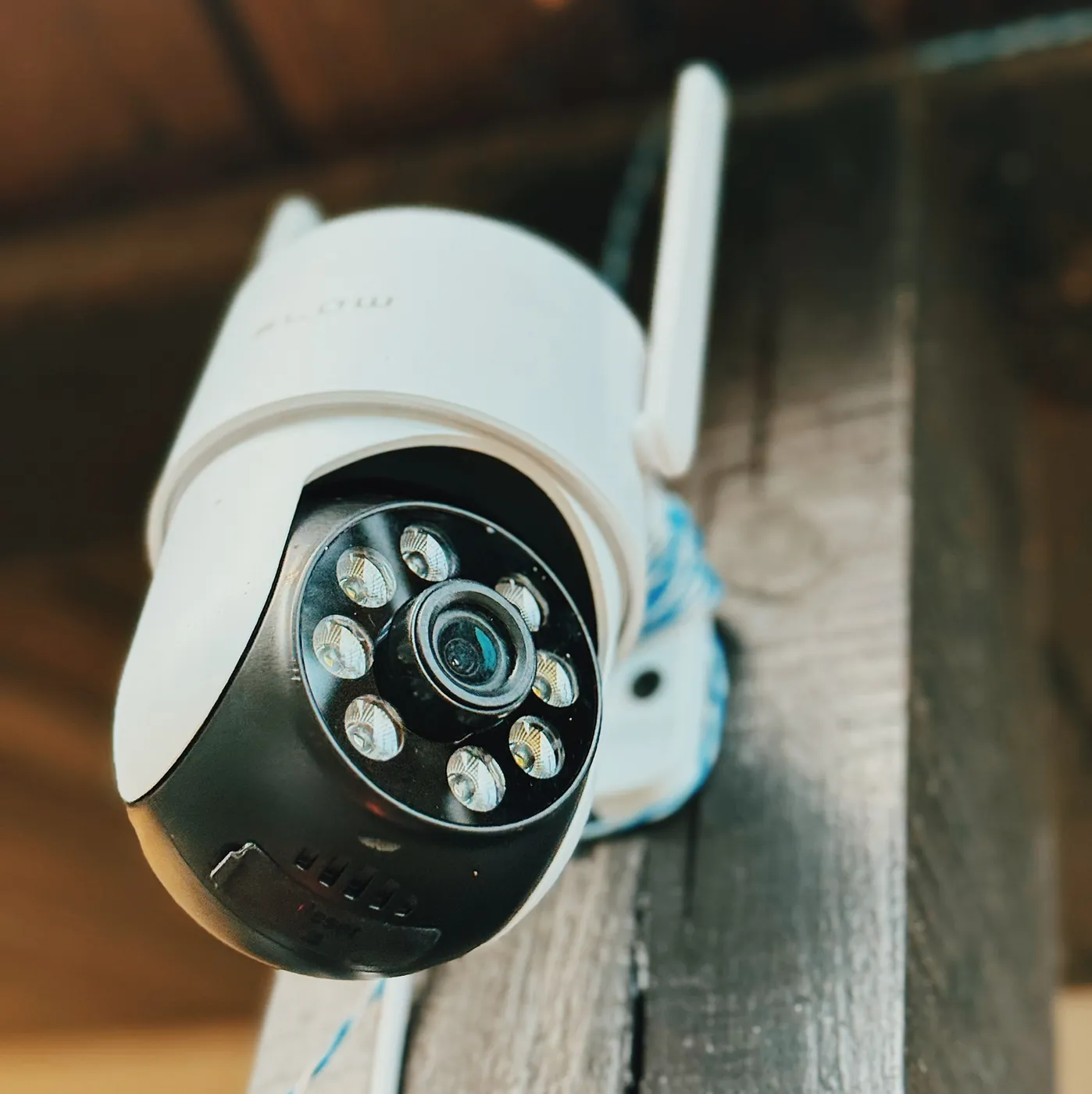 Eight infrared lamps and one lens. This camera answered every ping and showed no picture at all.
Retrying faster made it worse
That fix also capped the ladder at four seconds for a camera answering the network. Retrying sooner is obviously better. It was measured anyway.12
| One camera, two ladders | Readers burned per online minute | Dark seconds per online minute | Longest gap |
|---|---|---|---|
| Original ladder, up to 20 s | 9.4 | 18.7 | 25.2 s |
| Capped at 4 s | 17.5 | 23.3 | 20.1 s |
Nearly twice the work, and a quarter more time with a dark tile. The camera answers one request at a time. A second attempt is not refused. It waits until it times out, and while it waits the camera stays busy. The TCP port accepted connections the whole time, with zero seconds of refusal measured. What timed out was the session setup, not the connection.
retry:
  offline: [1000, 2000, 5000, 10000, 20000] # camera is not answering at all
  online: [1000, 2000, 5000, 10000, 15000] # camera answers, session will not open
  onReturn: immediate # the ladder is not consulted after a return
  giveUp: never # there is no rung that stops trying
The cap was taken out again. Recovery lost nothing by it, because the first attempt after a camera comes back skips the ladder and happens at once. Two evenings of work, and the result is one sentence long.
Waiting longer between attempts brought the camera back sooner. Nobody believed that until it was measured.
The mesh will not carry its own traffic
For weeks the cameras dropped out for thirty to sixty seconds at a time. The obvious suspects were the cameras, their make, and the signal strength. All three were wrong. So were the three after that.
One test settled it: 160 pings to each camera, in the same few minutes, from the same network card, from the machine itself.13
| Target | Which access point | Packet loss |
|---|---|---|
| A camera on the same access point as the machine | the machine's own | 0.0 per cent |
| GATES | another one, across the mesh | 3.1 per cent |
| KITCHEN | another one, across the mesh | 5.6 per cent |
| HALLWAY | another one, across the mesh | 10.6 per cent |
The camera that lost nothing shares an access point with the machine. It is the same model and the same firmware as the one losing ten per cent, so the make is not the answer. The three that lost packets are on other access points, and the loss rises the further across the mesh the traffic has to go. Traffic that stays on one access point is clean. Traffic that crosses from one access point to another loses packets, whichever two of the four are involved.
Writing the address table to a log on every failed ping showed the order of events. The ping fails first, while the machine still knows the camera's hardware address. So the camera stopped answering before anything expired. A few seconds later the machine asks again, gets no answer, and marks the entry incomplete. That is the opposite of the first diagnosis. The incomplete entry is a result, not a cause, and weeks had gone into tuning cache lifetimes because of the wrong reading.
The fix is simple. To find the hardware address behind an IP address, a machine sends the question to every device at once. That kind of message is exactly what does not survive the jump between access points. So the machine stops asking. It writes every camera's hardware address into its own table on every sweep, from the same list the router uses for its fixed leases.
The mesh loses packets between its own access points. Writing each camera's hardware address into the machine fixed it.
Twenty-four volts down a data cable
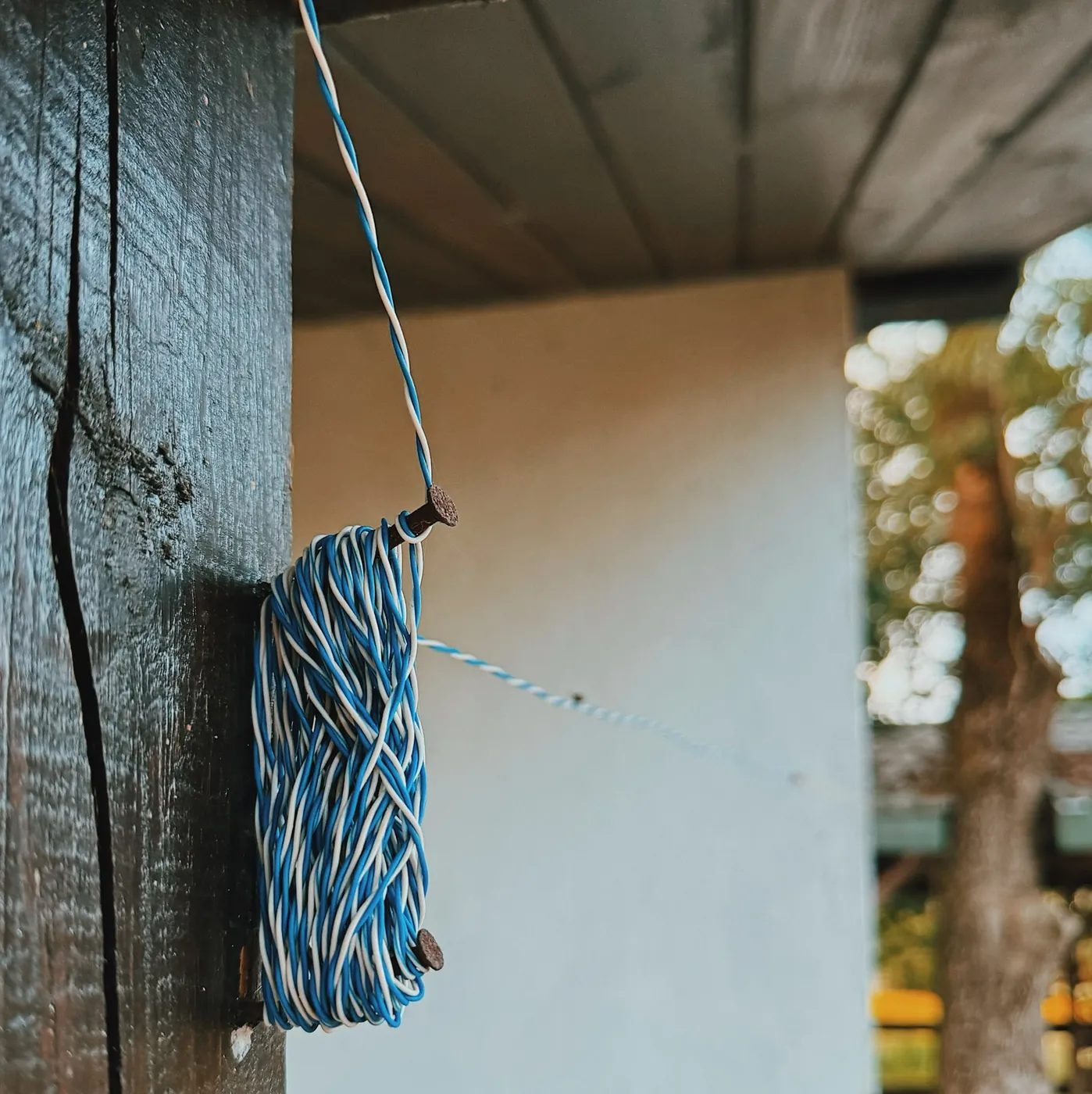
There is no mains socket near any of the outdoor cameras, and nobody was going to run mains out to four poles. Between the buildings cat6 was already run, carrying data to the access points. Beside it now runs cat5, bought for this, unpicked into its eight separate conductors, carrying power. Two conductors go to each camera, joined to the run by hand and insulated at the joint.
Four outdoor cameras need eight conductors, and one cat5 cable has exactly eight. One run feeds all four, with nothing spare. A fifth outdoor camera would mean a second cable.
One conductor of cat5 is 24 AWG copper: 0.205 mm² of metal, and 0.094 ohms per metre.14 That number decides the rest of this section.
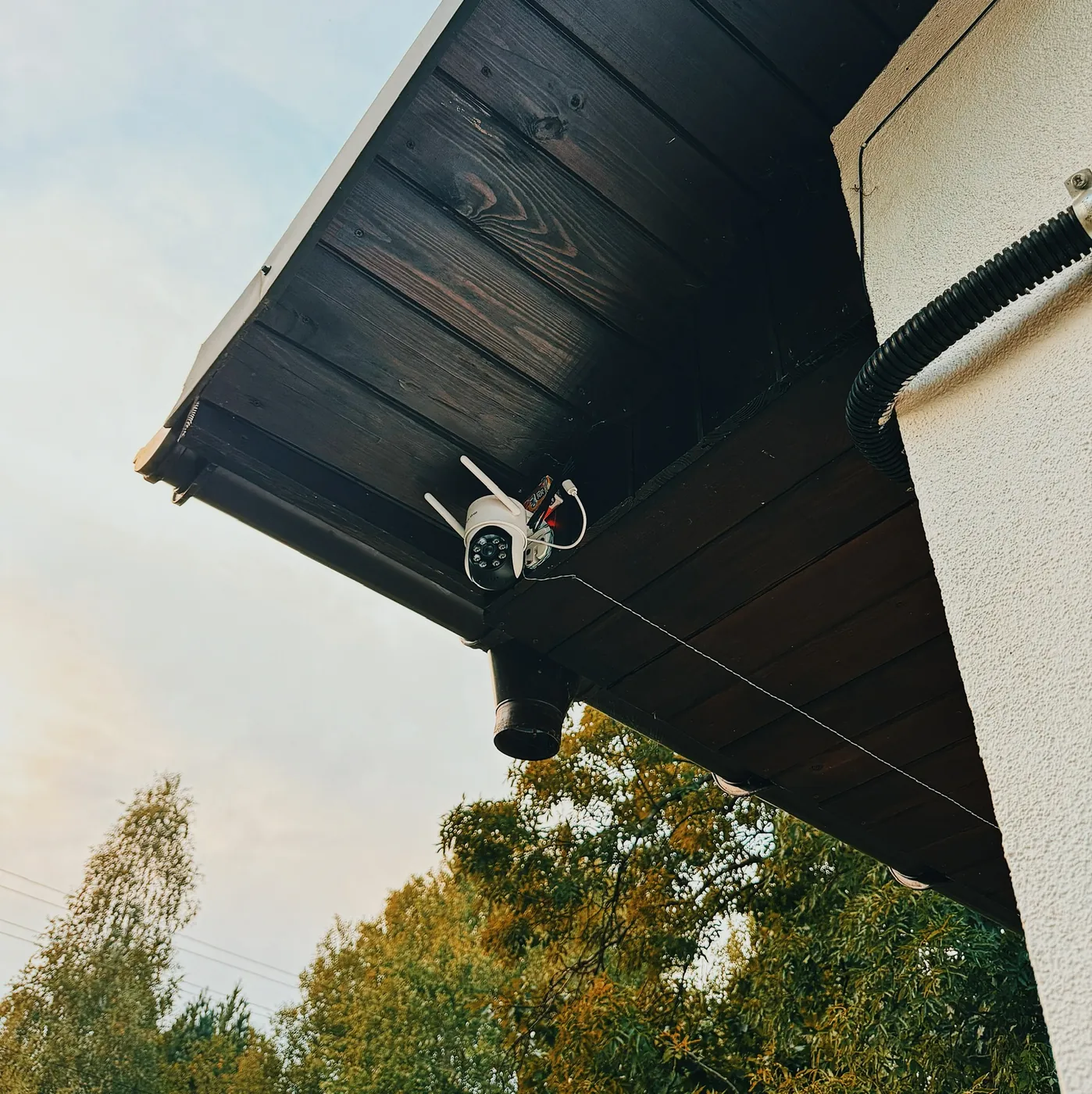
These cameras take 5 volts over USB-C. About one amp most of the time, and close to two amps when the motor turns and the infrared lamp is on. A run of 40 metres is 80 metres of copper out and back, which at 0.094 ohms a metre is 7.52 ohms.
Now put five volts on that wire at the supply.
- To push 1 amp through 7.52 ohms, the wire needs 7.5 volts across it. The supply has five. The wire wants more than the whole supply, so the current never reaches an amp, the camera never reaches five volts, and it does not start. Not dimly. At all.
- Halve the demand to 0.5 amps and the wire still takes 3.8 volts, leaving 1.2 volts at the camera. Also dead.
- At one amp the wire itself would burn 7.5 watts, which is more than the five watts the camera was going to use.
Send 24 volts instead and the same five watts arrives as a much smaller current. The converter is about 88 per cent efficient, so it draws 5.7 watts from the line, and at 24 volts that is 0.24 amps. The wire drops 1.8 volts, about 22 volts reach the box, and the wire burns 0.42 watts. With the motor turning and the lamp lit — ten watts at the camera — the line carries 0.47 amps, drops 3.6 volts, and still delivers over twenty.
Loss follows the square of the current. Going from five volts on the line to twenty-four cuts the current by four times and the heat in the wire by eighteen.
Five volts cannot cross 80 metres of thin wire. Twenty-four volts can, and a converter at the camera turns it back into five.
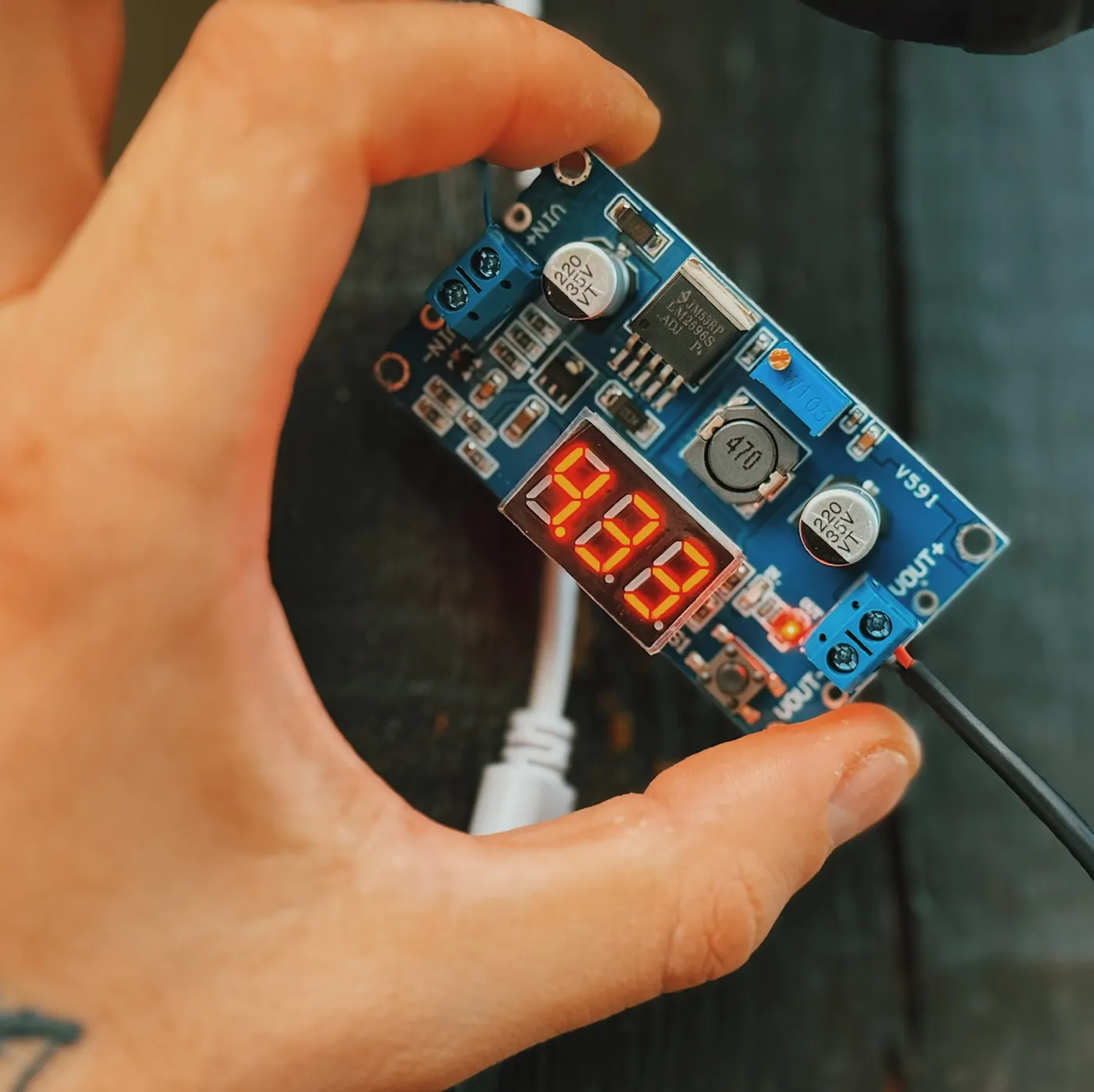
So the converter sits twenty centimetres from the camera's plug, and its screw is set to five volts. Putting it at the supply instead would send five volts and a high current down a thin wire, which is the first case above, the one where the camera never starts.
Two things come free with that. When a pan motor pulls current, only that camera's own converter sees the dip; on a shared five-volt line all four cameras would drop together, and there is no spare voltage to lose. And it scales: another outdoor camera is another converter on the same driver, not thicker copper.
The converters are LM2596S buck modules, the mass-produced kind, about three dollars each. They take 4 to 35 volts in and give an adjustable 1.25 to 30 volts out at up to 2 amps, set with a small screw on the board. That input range is also what makes the hand-made joints safe: about 22 volts arrive and the converter needs four, so a joint that ages and drops a volt or two changes nothing. Here the screw is turned until the output reads five. They switch the current on and off very fast instead of burning the extra voltage as heat. That difference matters here. A linear regulator dropping 24 volts to 5 at one amp would turn the difference into 19 watts of heat inside a sealed box in the sun, nearly four times what the camera itself uses. The switching module loses about a watt doing the same job.
The supply is an ordinary LED-strip driver: 24 volts, 100 watts, 4.2 amps. A camera wants a steady voltage with some spare current, and so does an LED strip. The four outdoor cameras draw about 0.95 amps from it in normal use, and 1.9 amps if every motor turns at the same moment. The driver gives 4.2 amps, so it is barely working. This is the one place where the extra cameras cost nothing at all: all three are the indoor model, and they run from ordinary USB power supplies on a wall socket. It has screw terminals that the unpicked conductors go straight into, and it is built to run day and night, because that is how LED strips live. Being sold for LED strips is a fact about where it is cheap.
The whole outdoor line switches from one socket. That socket has a local network interface, and the machine talks to it directly, so the command to cut the power never leaves the house. It is the last thing tried, and the only fix in the system that touches hardware instead of a stream.
What the machine watches for
Nothing here looks at pixels all day. That would cost more than the machine has.
The camera does the first step itself. Every outdoor unit has its own motion sensor and reports over ONVIF,15 and the server keeps that subscription open. A branch moves, the camera says so, and the machine has spent nothing.
The camera only reports that something moved. It cannot say what moved. So the report wakes the second step: for the few seconds around the event, the machine decodes that camera's small 640×360 stream and looks at the moving part of the frame. One camera at a time, for a few seconds, at two frames a second. That fits.
The machine sorts events into four kinds, because each one needs a different answer. A person at the gate at two in the morning is worth a phone buzzing. A vehicle at the gate is the courier. An animal in the yard is a chicken, and chickens are allowed. Something moved covers everything left over, and it is written down and not sent anywhere.
Seeing movement is easy. Ignoring the wrong movement is the hard part.
- A swaying branch moves back and forth around the same point. It is rejected by net travel: the patch has to end up somewhere it did not start, at least a fifth of its own width away.
- Headlights and shadows change the brightness of a whole region without moving an edge. Brightness is ignored, and edges are compared instead. A shadow crossing the yard moves no edges of its own.
- Rain and snow make many small patches at once. More than eight moving patches in one frame is weather, and weather is dropped whole.
- Insects at night are the hardest of the four. They sit centimetres from the lens, lit by the infrared ring, so they are very bright, very small and very fast. Anything brighter than the frame's average by a wide margin, smaller than a set area, and gone within two frames, is an insect.
Each camera also has a shape drawn on it saying where to look. The gate camera watches the gate and the path to it. It ignores the top of the frame, where the public road is. Cars on a public road are not this house's business, and they used to cause most of the events. The barn camera watches the doors and ignores the paddock, because horses move all night. The shape is a list of points on the 640×360 grid, and it is written in the same file as everything else.
Time changes the rules as well. During the day, movement at the gate is written down and nothing more. Between eleven at night and half past six, a person or a vehicle at the gate sends a message. The difference is one line in the file.
Everything is a file
There are no settings screens. A camera, its zone, its sensitivity, its schedule and who hears about it are all text, and adding a camera means adding a block.
gates:
  address: gate-camera # a name on the local network, never an address in a page
  streams: { main: hevc-2880, second: h264-640 } # second one is used for everything
  delivery: { width: 640, height: 360, bitrate: 700, audio: 8000 }
  watch:
    zone: [[0,140],[640,140],[640,360],[0,360]] # the gate and the path, not the road
    minimumArea: 900 # pixels; smaller than this is an insect or a leaf
    minimumTravel: 0.2 # of the patch's own width, or it is a swaying branch
    maximumPatches: 8 # more at once means rain, and rain is dropped
    classes: [person, vehicle, animal, movement]
  wake:
    day: [] # daylight movement is written down and nothing more
    night: [person, vehicle] # 23:00-06:30
    offlineAfter: 180 # seconds unreachable before the camera itself is the news
  tell: [phone-sms, mail] # in that order, and only these
Every line above is read when the program starts, and most of them can be changed while it runs. Adding a camera means copying this block, giving it a different name and drawing a different shape on it. Nothing is compiled and nothing is programmed. The twelfth took four minutes, and most of that was deciding what to call it.
The same file holds the delivery sizes, the frame rate, the retry ladders, the watchdog timers, the patrol steps and the list of who may sign in. One file, about four hundred lines, and it is the whole system's opinion of itself. When something behaves oddly, the first question is which line said so, and there is always a line.
Recording, and finding it again
An event opens a recording. What gets written is the camera's second stream, copied to the terabyte disk exactly as it arrives. Copying a stream costs 1.1 per cent of one core.10 Each clip runs from twenty seconds before the event to thirty seconds after. The twenty seconds before is usually where the answer is, and the metronome is already holding those frames.
The arithmetic decided this, and twelve cameras made it tighter. Recording every main stream all day is 210 GB a day. That fills the terabyte in under five days, and the 500 GB the clips are allowed in under two and a half.16 With nine cameras it was seven days: the three that arrived were all the indoor model, and an indoor main stream is the fattest thing on this network.
Recording the second stream, and only around events, a busy day is about 6 GB and a quiet one about 3 GB. A week is 23 to 41 GB. The disk has no free-space rule. It has two limits, and the clips are written until the first of them is reached: 500 GB, or 120 days old. Then the oldest clip is overwritten.
The volume is the one that arrives first. At six gigabytes a day the 500 GB is full in 83 days, and on an ordinary run in about 110. The 120 days matters only on a quiet stretch, when 500 GB would take half a year to reach and nobody is going to open a clip that old.
There is no compression step, and that is deliberate. Re-encoding a day of clips would take most of a night, and it would fight the live wall for cores the machine does not have. The compression already happened once, inside the camera.
Searching never opens a video file. Every event is already a row in the log the system writes about itself: which camera, what time, what was seen, how long the clip runs, where it sits on disk. A question like "who came to the gate on Tuesday night" reads that text and gives back four rows. The video is only opened when somebody clicks one.
The timelapse costs nothing extra. The metronome already holds every camera's current frame, so once a minute one frame is written to disk — 1440 per camera per day. Overnight each day becomes a clip about forty-eight seconds long. A whole day in the hen house, in forty-eight seconds, is less dull than it sounds.
Twelve cameras at full quality would fill the disk in under five days. The small stream, saved only around events, reaches its 500 GB in about a hundred.
When it wakes you
An alert system that people start ignoring is already broken. Most of the work here went into not sending messages.
One event is one message. A person standing at the gate for two minutes makes the camera report motion perhaps forty times, and all of it lands inside one clip and one row. After a message goes out, that camera says nothing for ten minutes.
A camera that has gone missing is news too, but only after 180 seconds. Here the radio drops for thirty to sixty seconds quite often. A camera that goes offline and online again several times reports once, not once per change.
Between eleven at night and half past six, only two things get through: a person or a vehicle at the gate, and a camera that has been gone three minutes. Everything else waits for morning and is read as a list.
The message never contains the picture. A text message contains one line of text and a link. The link opens the same page as everything else, behind the same Google sign-in. A phone left on a shop counter shows a stranger a locked screen.
What the owner actually sees, most days, is nothing at all. That is the point. The messages that do arrive are a person at the gate at night, and a camera that has stopped answering.
Microphones and speakers
All twelve cameras carry a microphone: 8 kHz on the four outdoor units, enough to hear a van door, and 16 kHz on the other eight, enough to hear which child is arguing.
The audio is re-encoded here along with the video. The media server cannot put the cameras' own audio format into the container the browser reads, so it was throwing the audio away without saying so. Four cameras were silent for weeks, and that looked exactly like cameras with no microphone.
The wall is muted by default. Twelve tiles of background noise tells you nothing. Every tile carries a level meter. It is worked out inside the metronome, from the same audio buffer that is about to go to the encoder: a sum of squares over about 800 samples per camera per tick. That is also the only place it could be worked out, because these cameras allow one session and that session is already open.
The silence floor is −55 dB below full scale, measured over twenty seconds from each camera. The four outdoor units sat within a decibel of that floor for the whole measurement, so their meter is a flat dotted line and stays one. The eight indoor ones sit about 15 dB below full scale and reach it on a voice. The bar rises instantly and falls back slowly. A bar that eased upward would miss the noise it is there to show.
Talking back goes the other way through the same pipe. The browser posts pieces from the phone's microphone as they arrive, they become a continuous stream on the machine, and that is pushed to the camera's own speaker. The button is on the indoor tiles, so it is how the children are told something from the shop car park, rather than how a courier at the gate is.
That broadcast used to have no end. The phone sends the microphone as a series of ordinary posts, not over a socket, so a closed tab just stops sending and says nothing about it. The broadcast stayed switched on for ever, and every later one was refused, because a microphone that no longer existed still held the channel. It now switches itself off fifteen seconds after the last piece arrives.
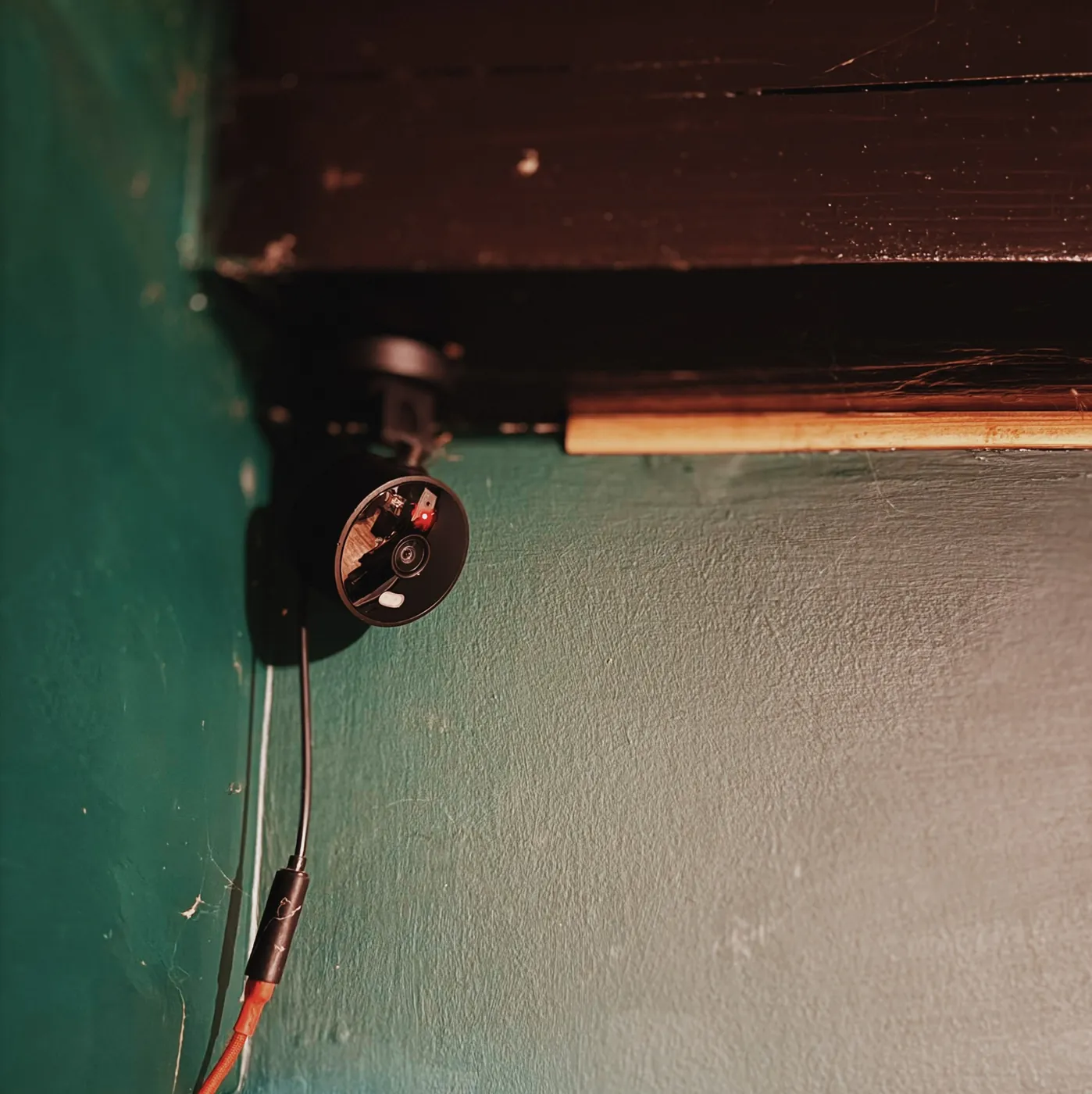
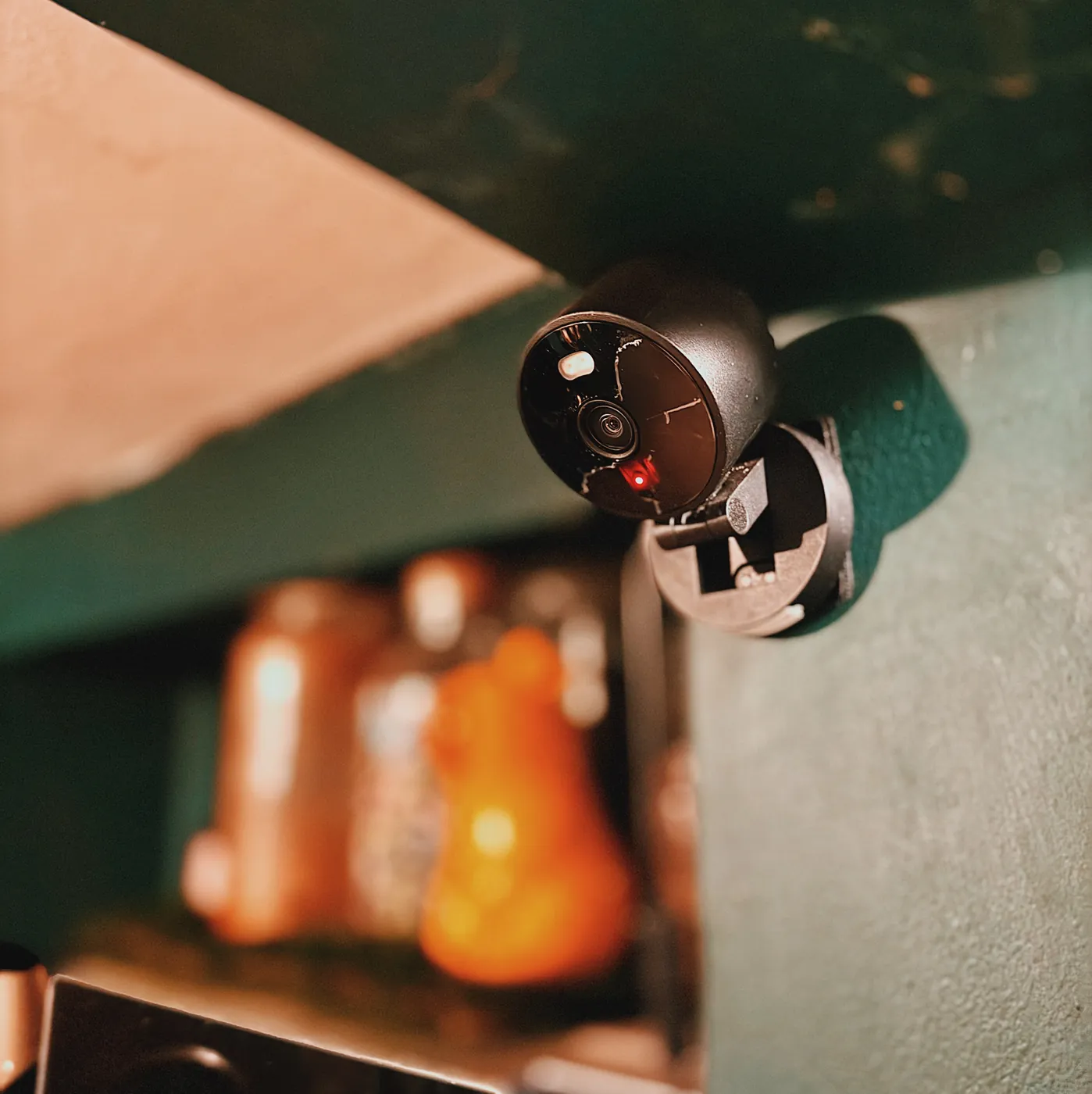
The phone in a pocket
The interface is a web page with a manifest and icons, so it can be added to a home screen and open without an address bar. It is in no app store. It is a website that looks like an app.
Every tile is 16:9 and the frame is stretched to fill it rather than fitted inside it, so a camera of another shape widens instead of showing bars. Opening one camera puts it on top of the wall instead of replacing it, so the other eleven keep playing underneath. Checked by watching the closed tiles: their playback position kept moving through an open and a close.
Each tile carries its own live bitrate: green at the normal rate, amber when it sags, red when almost nothing is moving. Between the colour, the level bar and the dimming of a frozen frame, one glance says which cameras are fine. Nothing has to be read.
Four of the twelve cameras turn, and they turn from the phone. An arrow moves one axis and leaves the other exactly where it was. The full sweep is 355 degrees.17
An automatic patrol walks each outdoor camera out to a far position and back through every position between, so it never stands at an end twice in a row. The first settings had the gate camera looking at the sky for half of every minute. The step, the wait and the number of positions are set in the browser, and the server remembers them, because whoever sets them is rarely whoever will be looking.
A full-size still opens a second, very short session. The outdoor cameras allow three sessions at once, so the live tile does not notice. The indoor cameras allow one, so the still has to borrow it for a moment and the tile blinks. That blink is the camera's limit, shown rather than hidden.
Alerts leave by the cheapest route that arrives. Mail costs nothing over ordinary SMTP, and a text message costs less than a cent through an operator gateway. Which one carries what is set out a little earlier.
The way in
This system has no login page, because it has no passwords. An unknown visitor goes straight to Google and comes back with an email address, and Google's word that it belongs to whoever just signed in. A house is handing out pictures of its own rooms. The thing worth checking is who is looking.
Two permissions are requested — an identity token and an email address — and nothing else is kept. The token is checked, not trusted. Its signature is checked against Google's published keys. Its audience must be this application. Its issuer must be Google. Its expiry must be in the future, and the address must be marked as verified. The whole thing is two requests and one signature check. It was written without a library, because a library for it would have been bigger than the code it replaced.
Who somebody is and what they may see are kept in two different places. The session cookie carries the address and nothing else, and lasts a week. The list of who may look is a separate file, read again on every single request. Take an address off that list and the person loses access on their next click, rather than in a week when their session runs out. The list has three addresses on it, and two of them are the same person on different phones.
The cookie is encrypted, not just signed. Nobody outside the server can read what is in it, and any edit to it makes it fail. There is no database, so the cookie has to prove itself on its own. The expiry date is stored inside the encrypted part. The browser keeps its own copy of that date, but a person can edit that copy, so it is ignored. The gate sits in front of the framework. A page added next year is protected automatically. Nobody has to remember to protect it.
The only way out
There is one door out of this house, and behind it stands a web page.
| What | Where it goes | Leaves the house |
|---|---|---|
| The camera's own RTSP stream | an ffmpeg reader on the machine | no |
| Raw frames and audio | the metronome, inside one process | no |
| The re-encoded stream | the media server, on the loopback | no |
| Recordings and timelapses | the terabyte disk in the machine | no |
| Telemetry and the event log | a file on the machine | no |
| The application's HTTP response | the tunnel, and out | yes, and only this |
No port is forwarded on the router. The tunnel program dials outward and keeps that connection open, so nothing ever connects into this house.18 One hostname is published, and anything else pointed at the tunnel gets a plain 404. On the router the cameras sit on a fixed address list, and a rule drops anything from that list heading for the internet. The machine can reach them. They can reach nothing. Twelve cameras in this house have never seen the internet, and they are not going to.
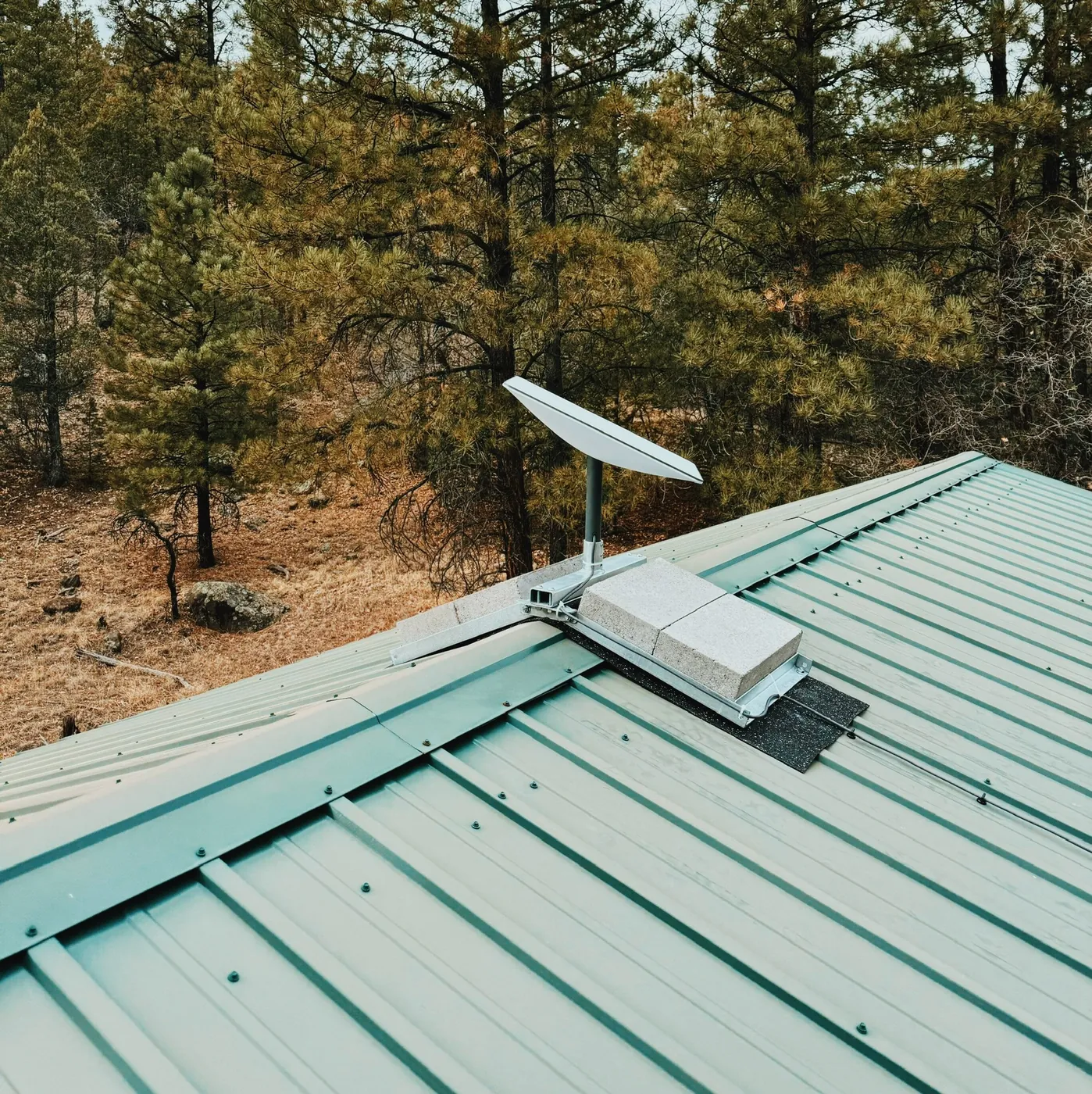 The Starlink dish, ballasted with concrete blocks rather than bolted through the roof. The one row marked yes in the table above leaves the house through this.
A stranger sees a domain that redirects to Google. Signing in with an address that is not on the list gets a locked screen with two lines on it. That screen is everything a stranger can reach. Every other hostname on the tunnel answers 404, and the camera addresses, their passwords and their stream paths exist only inside the house.
One address is public. Every other name on the tunnel answers 404, and no port is open on the router.
What it cost
Everything in the system, with its numbers in one place.
| Part | Model | Numbers |
|---|---|---|
| Outdoor camera ×4 | Blow T-135, Tuya platform | HEVC 2880×1620 at 15 fps, 1.16 Mbit/s; second stream H.264 640×360, 0.5 Mbit/s; pan 355°, tilt 90°; microphone 8 kHz; eight infrared diodes; 5 V over USB-C, about 1 A and near 2 A on peaks; three RTSP sessions |
| Indoor camera ×8 | Aqara G100 | H.264 2304×1296, 1.85 Mbit/s; second stream 1280×720; microphone 16 kHz; 5 V over USB-C; one RTSP session |
| Server | Mac mini 6,1, 2012 | Intel i5-3210M, two cores and four threads at 2.5 GHz, 8 GB, macOS 10.15.7, stock disk replaced by hand with 1 TB; clips written until they reach 500 GB or 120 days, whichever comes first |
| Uplink | Starlink kit, with longer cable runs added | the only link to the outside; the tunnel dials out over it |
| Router | MikroTik hEX RB750Gr3 | RouterOS 7.20, four MIPS cores at 880 MHz, 256 MB, fixed leases by hardware address |
| Access points ×4 | classified | one in the house, one at its far end, one in the barn, one facing the gate; cameras join the nearest, the server is on cable |
| Data cable | Cat6 U/UTP, 100 m | four pairs, eight conductors |
| Power cable | Cat5, unpicked | 24 AWG, 0.205 mm², 0.094 Ω per metre, 7.52 Ω over a 40 m run, two conductors per camera, one run for all four |
| Supply | LED-strip driver | 24 V, 100 W, 4.2 A, screw terminals; four cameras draw 0.95 A, 1.9 A with every motor turning |
| Converter ×4 | LM2596S buck module | in 4–35 V, out set by a screw to 5 V, up to 2 A, 85–92 per cent efficient, 43 × 21 × 14 mm |
| Enclosure ×4 | Tic Tac box | 45 × 24 × 16 mm inside |
| Sent to the browser | made here | 640×360 at about 700 kbit/s outdoors, 960×540 at about 1.4 Mbit/s indoors, 5 fps on all twelve |
Prices are US dollars, approximate, and taken from memory rather than from a drawer of receipts. The Tic Tac boxes are not in the list. They were not bought.
| Bought for this system | Quantity | Each | Total |
|---|---|---|---|
| Blow T-135 outdoor camera | 4 | $28.76 | $115.04 |
| Aqara G100 indoor camera | 8 | $34.19 | $273.52 |
| Cat5 cable, 100 m, unpicked for power | 1 | $27.83 | $27.83 |
| USB-C leads, converter to camera | 4 | $4.63 | $18.52 |
| LED-strip driver, 24 V, 100 W | 1 | $21.47 | $21.47 |
| LM2596S step-down converters | 4 | $3.41 | $13.64 |
| Cable ties and thermal insulation | a bag | $8.79 | $8.79 |
| Coffee, milk and sugar, for cappuccino | 14 kg | $4.91 | $68.74 |
| Total | $547.55 |
The house already had the rest: the network was built before the cameras and carries more than them. The work was done by hand, so those rows are materials and fixings.
| Already here | Quantity | Each | Total |
|---|---|---|---|
| Mac mini 6,1, 2012, second-hand: two cores, 8 GB, 1 TB disk fitted by hand | 1 | $168.42 | $168.42 |
| MikroTik hEX RB750Gr3 | 1 | $51.93 | $51.93 |
| Mesh access points | 4 | $47.36 | $189.44 |
| Cat6 cable, 100 m, data | 2 | $38.64 | $77.28 |
| RJ45 connectors, box of 100 | 1 | $9.12 | $9.12 |
| Starlink kit + extra wires | 1 | $537.64 | $537.64 |
| Patch lead, dish to router | 1 | $7.28 | $7.28 |
| Mounting the dish on the roof | 1 | $31.86 | $31.86 |
| Running the cables from the dish | 1 | $19.47 | $19.47 |
| Running the cable to the access points | 1 | $26.53 | $26.53 |
| Total | $1118.97 |
So the cameras cost $547.55. The software cost nothing. Electricity is not counted. Twelve cameras, wired and powered and watched from a hardware shop car park, for less than the price of one sealed recorder that would not have run here anyway.
The faults were never where they were looked for. Cameras dropping out looked like cheap cameras, then like weak signal, then like an expired address cache. It was a mesh that will not carry traffic between its own access points. One test proved it, after weeks of tuning the wrong thing.
Trying harder made things worse, twice. Retrying sooner nearly doubled the wasted work and increased the darkness. Reconnecting after three seconds of silence instead of six would have turned 68 self-healing gaps into 68 rebuilds. Both were obvious improvements, and only measurement stopped them.
Several settled facts turned out to be beliefs. A camera was written down as having no microphone, because the software had refused to ask it. A watchdog was described as guarding against silence while it was killing readers that had not yet had a chance to speak.
What was built is a house that can have things added to it. Everything arrives at one machine, in one program, in one configuration file. A door sensor. A thermometer in the barn. A float in the water trough. A gate that opens from the same page as the camera watching it. Each one is a sensor, a few lines in that file, and an afternoon.
This was never planned as a product. It began with a Mac mini, a list of nine names, and a reel of cat5. Three more names were added later. But the same list exists for every stable, every yard, every remote plot and every small business that would rather keep the view of its own gate off somebody else's cloud, and not pay monthly for the privilege. It is built and it has been running for months without attention. Building the same thing on another house is normal work, not research. If that sounds like your yard, the address in the footer works.
The whole of it cost $547.55 and four boxes of Tic Tacs. Maybe I should make a business out of this?
Cover image credits to ripcache.
Footnotes
-
The outdoor cameras announce H.264 over ONVIF and send HEVC, which is untrue, and a browser cannot fix that. Hardware HEVC decoding on Intel begins with the sixth generation and this is a third-generation part, so the processor has to decode every frame itself. Measured here: one outdoor main stream costs 65 per cent of one core, and copying a stream without decoding it costs 1.1 per cent. ↩ ↩2
-
A camera that can be moved from a distance is sold as a PTZ: pan, tilt and zoom. The name comes from television studios, where a person stood behind the camera and those were the three things they did to it. The four outdoor units here do the first two only. They turn and they nod, and the picture never gets closer. Position is not asked for in degrees either, but as a fraction of the whole sweep. ↩
-
ffmpeg is a free program that reads video in almost any format and writes it out in almost any other. One person began it in 2000, and it now sits inside most things that play video, usually without saying so. Here it runs twice for every camera: one copy opens the camera and pulls the frames out, the other packs frames into the stream the browser plays. Twelve cameras, twenty-four copies of it, all day. ↩
-
You looked at the blocks and decided the cameras were cheap. Fair guess, and wrong. The blur was put there by hand, one picture at a time, on an evening that could have been spent on the cameras themselves. It hides the inside of a house from curious eyes, and yours are the eyes it was made for. ↩
-
RTSP is the language a camera speaks when it hands out its video. It dates from 1998 and works like a remote control: start, pause, stop. It carries no pictures itself, it only sets up the stream that does. Almost every security camera still uses it, and no browser understands a word of it, so every stream here is repacked before it reaches one. These cameras also take few viewers at once: three on the outdoor units, one on the indoor. ↩
-
Two open bugs in the project's own tracker apply directly to this system. The first: the JPEG interface crashes on multi-threaded cameras, and the outdoor cameras here are exactly that. The second: after a reconnection the video segments are written to the database incomplete, which leaves gaps in the timeline. Here a reconnection happens about once an hour. ↩
-
Frigate's detector and its machine-learning runtime both require the AVX2 instruction set. This processor has AVX and not AVX2, and the runtime stops immediately instead of running slower. Two changes that would have let it run on older processors were proposed and never accepted. It was excluded only because of a processor from 2012. ↩
-
MediaMTX version 1.9.3 is the last release that runs on this operating system, for the same reason as the media server actually used: newer builds of the language it is written in require a newer macOS. The request to limit its retention by free space rather than by age has been open and unimplemented for a long time. ↩
-
go2rtc is a small free program that takes one video stream and hands it out in several formats at once, so that whatever is asking — a browser, a phone — gets a form it can play. It is one file, with nothing to install and nothing to store. Here it is the last stop before the browser, and it never decodes a frame, which is why it fits on a machine with two cores and no video decoder. ↩
-
Measured with everything running. An outdoor camera at 640×360 costs about 9 per cent of one core. An indoor camera at 960×540 costs about 28 per cent. Each figure includes the controlling program and both ffmpeg processes. Twelve cameras at ten frames a second come to 260 per cent of one core, and the machine has 200 per cent. At five frames a second they come to 130 per cent. There is no third core. ↩ ↩2 ↩3
-
The report's headline is the time a camera was shown as a proportion of the time it answered the network, sampled every five seconds. Counting failure combinations over 705 samples per camera, every other one — bytes arriving with no stream, a stream with no video track — measured zero, so no other problem was hiding behind a different symptom. ↩
-
Both windows were normalised by the time the camera was actually reachable. Comparing raw totals would measure how long the camera was missing, not how well the change worked. The camera used is the worst one in the system. That is a good place to test recovery and a bad place to take an average. ↩
-
160 probes to each address, in one window, from one network interface, from the machine itself, so the only difference between the targets is which access point they are connected to. Two further vantage points were recorded at the same time, at different distances across the mesh, and the loss ranks by distance rather than by camera. ↩
-
A single conductor of cat5 is 24 AWG copper: about 0.205 mm² and roughly 0.094 ohms per metre. The numbers above assume a 40-metre cable, so 80 metres of copper there and back, which is 7.52 ohms. The camera is taken as needing five watts at five volts, and the converter as 88 per cent efficient. Several conductors in parallel divide the resistance by their number. That is the other way to get more margin, and it costs cable instead of volts. ↩
-
ONVIF is a common language for security cameras, agreed in 2008 by the manufacturers themselves, so that a camera of one make can be used by software of another. A camera uses it to say what it is, to be told to move, and to report that it has seen movement. Here the reporting works and costs nothing. The saying-what-it-is does not: the outdoor cameras name one video format over ONVIF and then send a different one. ↩
-
One megabit a second is 10.8 GB a day. Twelve main streams are 19.44 Mbit/s together, which is 210 GB a day and fills the terabyte in four days and eighteen hours. That rules out recording everything at full quality before any code is written. The second streams are 0.51 Mbit/s on the four outdoor units and 1.42 Mbit/s on the other eight: 13.4 Mbit/s together, or 145 GB a day if every second of them were kept. Events cover two to four per cent of the day, which is the 3 to 6 GB actually written. So the 500 GB is reached in 83 days of busy ones and 167 days of quiet ones. The age limit is set at 120 days, above the busy figure and below the quiet one. ↩
-
The camera reports and accepts pan position on a normalised scale from −1 to 1 covering 355 degrees, and rounds anything it is given to a tenth of that scale. Measured by asking for several small steps and reading the position back each time. The position did not change, and the camera did not move. ↩
-
One warning about the tunnel. The provider's terms say it may limit video traffic on the free service, and no exact limit is published. No confirmed case of a home tunnel being blocked for this was found. The risk is small, and it was accepted. ↩